DockZen lets you create and switch macOS Dock profiles instantly. Organize your apps by context and keep your workspace perfectly clean. DockZen lets you create profiles for your Mac Dock and switch between them instantly. New in 1.5.8 ZenView (Beta) — hover any Dock icon and see all open windows live. Focus, close, or minimize without leaving what you're doing. Built by an indie developer. No App Store. Direct download at dockzen.shopsee more
Founder
Screenshots
About
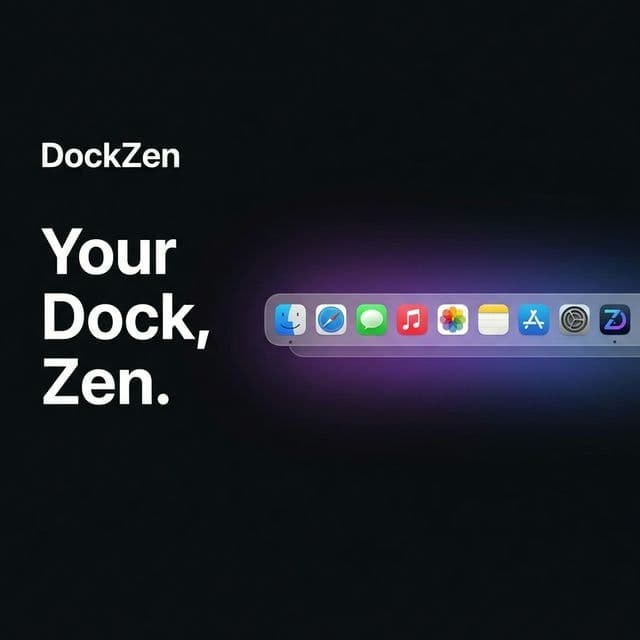
Are you tired of the constant visual clutter on your Mac Dock? Does switching between your 'Work Mode,' 'Creative Flow,' and 'Personal Time' require you to manually drag and drop applications just to get the right setup? Meet DockZen, the elegant solution designed to bring immediate organization and focus back to your daily digital life. This isn't just another utility; it’s a complete contextual overhaul for your macOS experience. Imagine instantly swapping out your coding environment icons for your design suite, or clearing everything away except for your essential communication tools when you need deep concentration. DockZen allows you to create distinct, named profiles for your Dock, meaning your entire application layout is saved and ready to deploy with a single click. This thoughtful approach, built by an independent developer who understands the need for streamlined workflows, ensures that your computer adapts to *you*, rather than forcing you to adapt to a static, cluttered interface. It’s about reducing friction so you can spend more time producing meaningful work and less time managing icons.
Beyond simple profile switching, DockZen introduces a truly innovative feature we call ZenView, currently in beta, which elevates how you interact with your running applications. Instead of clicking an icon only to be overwhelmed by multiple open windows, ZenView lets you hover over any Dock icon and see a live, miniature preview of all associated open windows right there. This means you can instantly identify the exact document or project you need, close unnecessary tabs, or minimize windows without ever fully leaving the application you are currently focused on. This level of granular control over your open tasks, accessible directly from the Dock, fundamentally changes how you multitask. It transforms the Dock from a static launcher into a dynamic command center, keeping your mental bandwidth clear and your workflow smooth, whether you are deep in code, editing a video, or managing client communications.
DockZen is built for those who value efficiency and a clean digital workspace—developers, designers, writers, and power users who understand that context switching is a productivity killer. By allowing you to segment your digital tools based on the task at hand, DockZen helps you achieve a state of flow faster and maintain it longer. Stop fighting your operating system’s default settings and start leveraging a tool that understands the importance of context. Download DockZen directly and experience the immediate calm and control that comes from having a perfectly tailored Dock ready for every moment of your day.