
Markwright is a powerful yet lightweight (under 2 Mbexe, around 6 Mb RAM) screen annotation tool for technical presenters and content creators, that’s modern, has zero dependencies, does not require registration, has no tracking or telemetry, works completely offline, and allows you to own it. Forever. Markwright is designed to be fast, both physically and ergonomically, can be controlled both from mouse and keyboard.see more
Founder
Screenshots
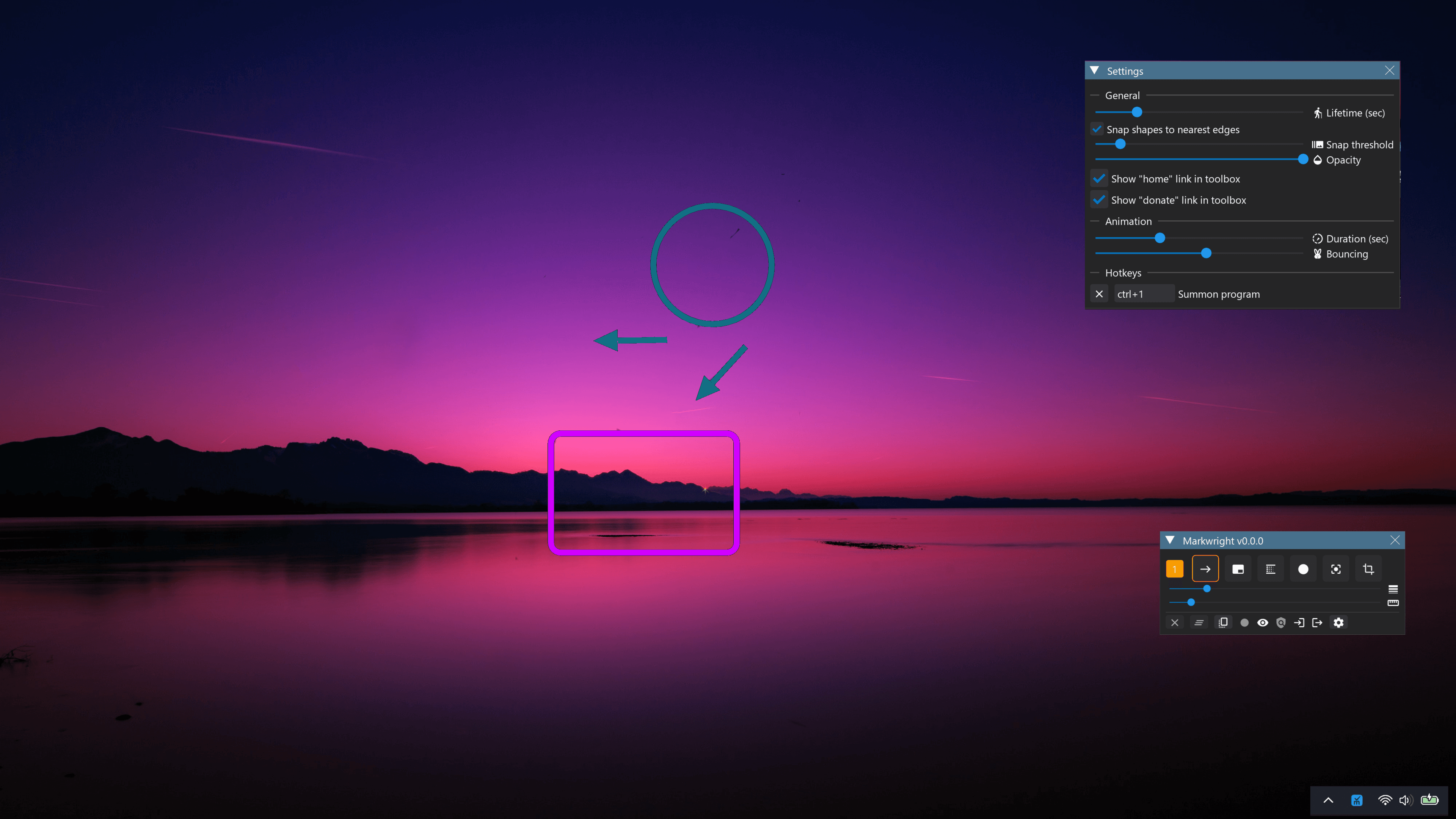
About
Imagine needing to highlight a crucial detail on your screen right now—perhaps you are walking a colleague through a complex software interface, demonstrating a bug to a developer, or creating a tutorial video where every pixel matters. That is exactly where Markwright steps in, transforming your screen into a dynamic canvas without ever slowing you down. This isn't just another bulky utility that bogs down your system; Markwright is engineered for pure speed and efficiency. Weighing in at an incredibly small footprint, less than 2 megabytes as an executable, and consuming minimal RAM, it feels like it’s barely there, yet it delivers professional annotation power exactly when you need it. For technical presenters, educators, and content creators who demand instant responsiveness, Markwright offers a modern, dependency-free solution that just works, right out of the box. Forget about frustrating installations, mandatory online accounts, or worrying about what data is being sent back to a server; Markwright respects your privacy and your workflow by operating entirely offline, ensuring you have complete ownership over your tool, forever.
What truly sets Markwright apart is its dedication to seamless interaction. We understand that in the middle of a presentation or a live demonstration, fumbling with complex menus is not an option. That is why Markwright is built for dual control, offering intuitive handling whether you prefer the precision of your mouse or the speed of keyboard shortcuts. This flexibility means you can draw attention to that critical button, circle that vital piece of code, or add a clear arrow pointing to the exact spot, all while maintaining the flow of your conversation. It’s designed to be ergonomic, allowing you to focus entirely on communicating your message clearly, rather than wrestling with the annotation software itself. Whether you are troubleshooting a tricky issue or recording high-quality educational content, Markwright provides the lightweight, reliable, and private annotation environment you have always needed, ensuring your visual aids are always sharp, immediate, and perfectly placed.