
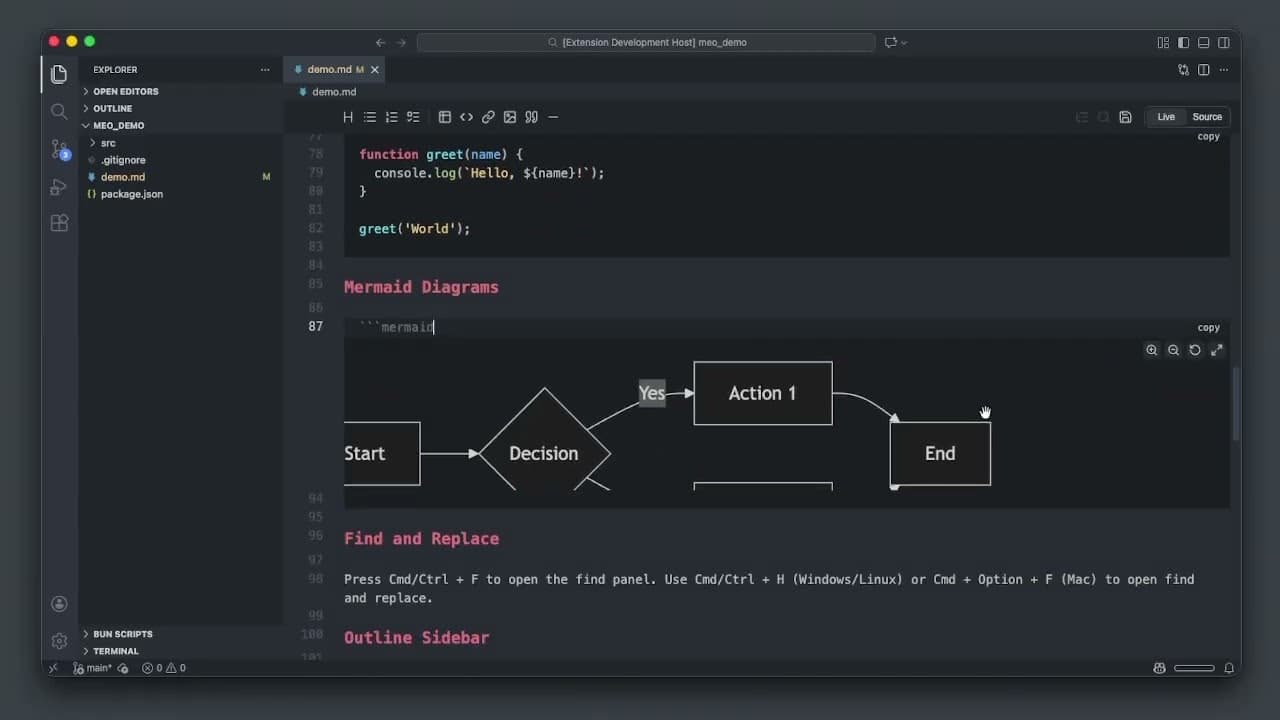
I built MEO because writing markdown in VS Code has always been painful. Raw syntax in one tab, broken preview in another, no toolbar, no way to just write. MEO adds a live/source toggle, floating formatting menu, toolbar for headings/tables/tasks/code/links, full-screen Mermaid diagrams, a contents sidebar, and optional auto-save. All inside VS Code. No context switching. Built for devs who write READMEs, docs, and PRDs alongside code and want the editor to stay out of the way.see more
Founder
Screenshots
About
If you live inside Visual Studio Code, you know the struggle: needing to write clean, structured documentation like READMEs, API guides, or detailed Product Requirement Documents, but being forced to juggle between raw markdown syntax and a separate, often clunky preview window. It breaks your flow, pulls your focus, and frankly, it feels like a workaround rather than a true writing environment. That frustration is exactly why MEO was created. We designed it to seamlessly integrate the power of a dedicated markdown editor directly into the workspace you already trust and use every day. Imagine having a fluid, intuitive writing experience where the editor actively supports your creation process without ever forcing you to leave your coding context. MEO transforms VS Code from just a code editor into a complete documentation powerhouse, ensuring your focus stays locked on the task at hand, whether you're debugging a tricky function or crafting the perfect explanation for it.
MEO brings back the joy of focused writing by layering essential, user-friendly features right where you need them. Forget hunting for syntax cheatsheets; we provide a floating, intuitive formatting menu that lets you apply bolding, italics, lists, and more with a simple click, keeping your fingers on the home row. Need to structure a complex section? The integrated toolbar gives you instant access to create headings, insert tables, manage task lists, and embed links or code blocks without ever touching the raw characters. For those moments when your documentation needs to visualize complex processes, MEO handles full-screen rendering of Mermaid diagrams, ensuring your flowcharts and sequence diagrams display perfectly without disrupting your writing rhythm. Furthermore, the dedicated Contents Sidebar acts as an instant navigation map for long documents, allowing you to jump between sections instantly, making large files manageable and easy to navigate.
Ultimately, MEO is built for the developer who understands that clear communication is just as critical as clean code. It respects your time by eliminating context switching entirely. You can write, edit, preview, and finalize professional documentation—all within the familiar, high-performance environment of VS Code. With quality of life additions like optional auto-save, you gain peace of mind knowing your hard work is secure while you concentrate on articulating your ideas. Stop fighting your tools and start creating better documentation, faster. MEO ensures your writing experience is as efficient and elegant as the code you write.