
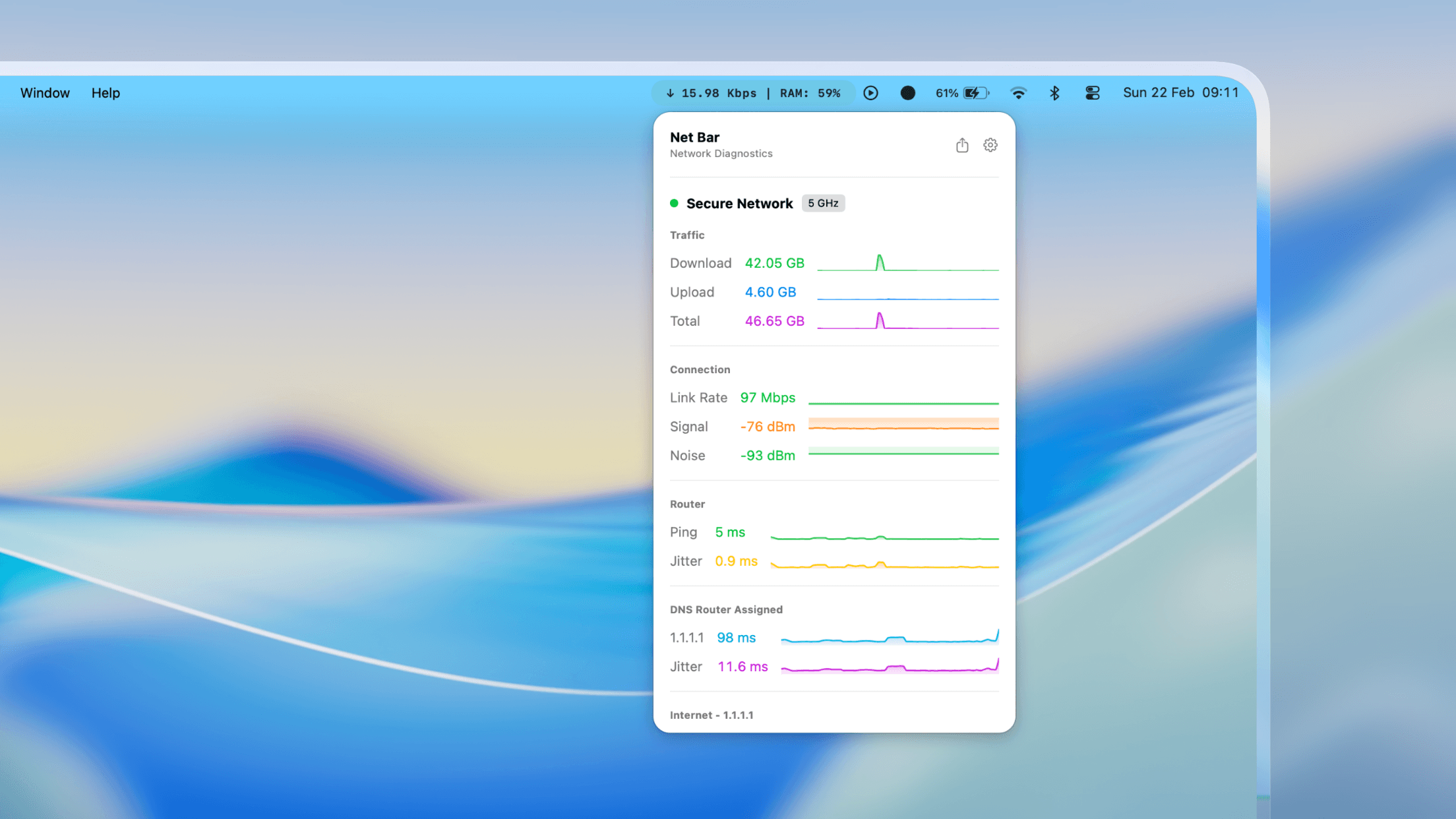
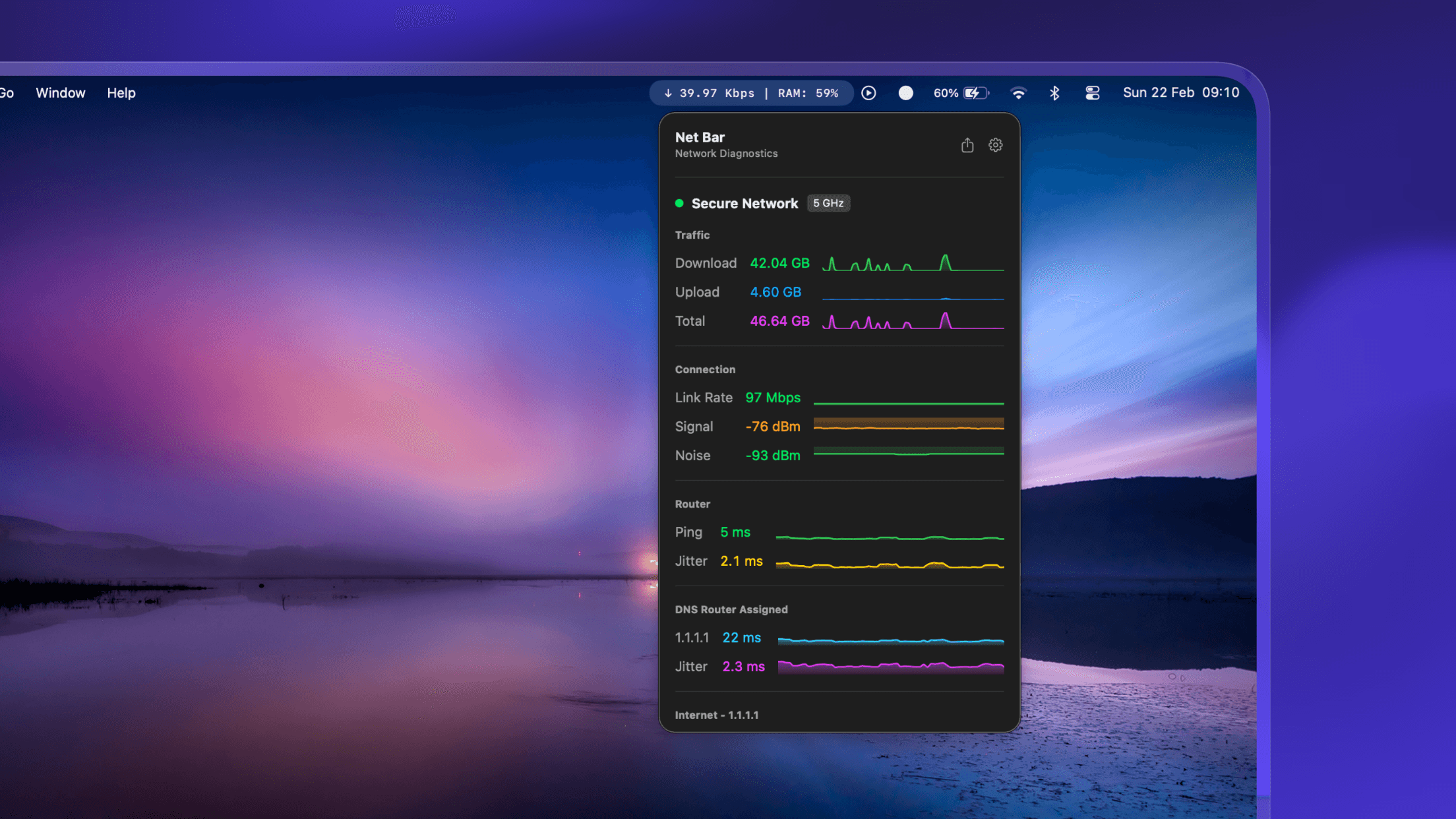
Net Bar delivers advanced network diagnostics in a lightweight menu bar app — no bulky background suite. Monitor SSID, RSSI, noise, link rate, and live ping alongside real-time download/upload speeds, CPU, memory & RAM pressure, storage, battery health, and device temperature. Fully customizable with drag-and-drop sections, removable modules, typography controls, smart tips, and a refreshed icon. Built with SwiftUI + AppKit.see more
Founder
Screenshots
About
Imagine having complete, real-time command over your Mac's performance, all neatly tucked away in your menu bar, without ever slowing down your workflow. That’s the promise of 314. Net Bar. This isn't just another utility; it’s your dedicated, lightweight command center for everything that matters under the hood of your machine. Forget installing heavy, cumbersome monitoring suites that hog resources. Net Bar delivers critical network diagnostics—like your current SSID, signal strength (RSSI), noise levels, and link rate—right where you need them, instantly. But we didn't stop there. We know that a great network connection is only half the battle. That's why we’ve integrated live tracking for your download and upload speeds, giving you immediate feedback on data throughput. Whether you are a developer pushing large files, a creative professional streaming high-resolution assets, or just someone who demands a snappy, reliable internet experience, Net Bar keeps you informed so you can troubleshoot bottlenecks before they become major headaches. It’s about giving you the power of deep system insight without the visual clutter.
What truly sets 314. Net Bar apart is its commitment to customization and clarity. We understand that every user's needs are unique, which is why we built this tool to be completely adaptable to your personal style and priorities. You have full control to drag and drop sections, deciding exactly which modules appear and in what order. Want to focus only on battery health and CPU load during a demanding editing session? Done. Need to keep a close eye on RAM pressure and storage capacity while compiling code? It’s just a quick rearrangement away. Beyond the layout, you can fine-tune the look with typography controls and enjoy a modern aesthetic thanks to its clean design built with SwiftUI and AppKit. This thoughtful approach extends to helpful smart tips that provide context when you need it most, ensuring that even complex metrics are easy to understand at a glance. It’s proactive monitoring designed to blend seamlessly into the macOS environment, offering peace of mind that your hardware is running optimally, from core temperatures to overall system responsiveness, all while looking sharp with a refreshed icon set.
Ultimately, 314. Net Bar is engineered for the power user who values efficiency and elegance equally. It transforms abstract system data into actionable, visible information, allowing you to maintain peak productivity whether you are managing complex network diagnostics or simply ensuring your battery life is on track for the rest of the day. It’s the essential tool that proves you don't need complexity to achieve mastery over your device. Install it, configure it once to your liking, and then simply forget about it—until the moment you need that crucial piece of information, which will be waiting patiently for you in the menu bar, ready to confirm everything is running exactly as it should be.