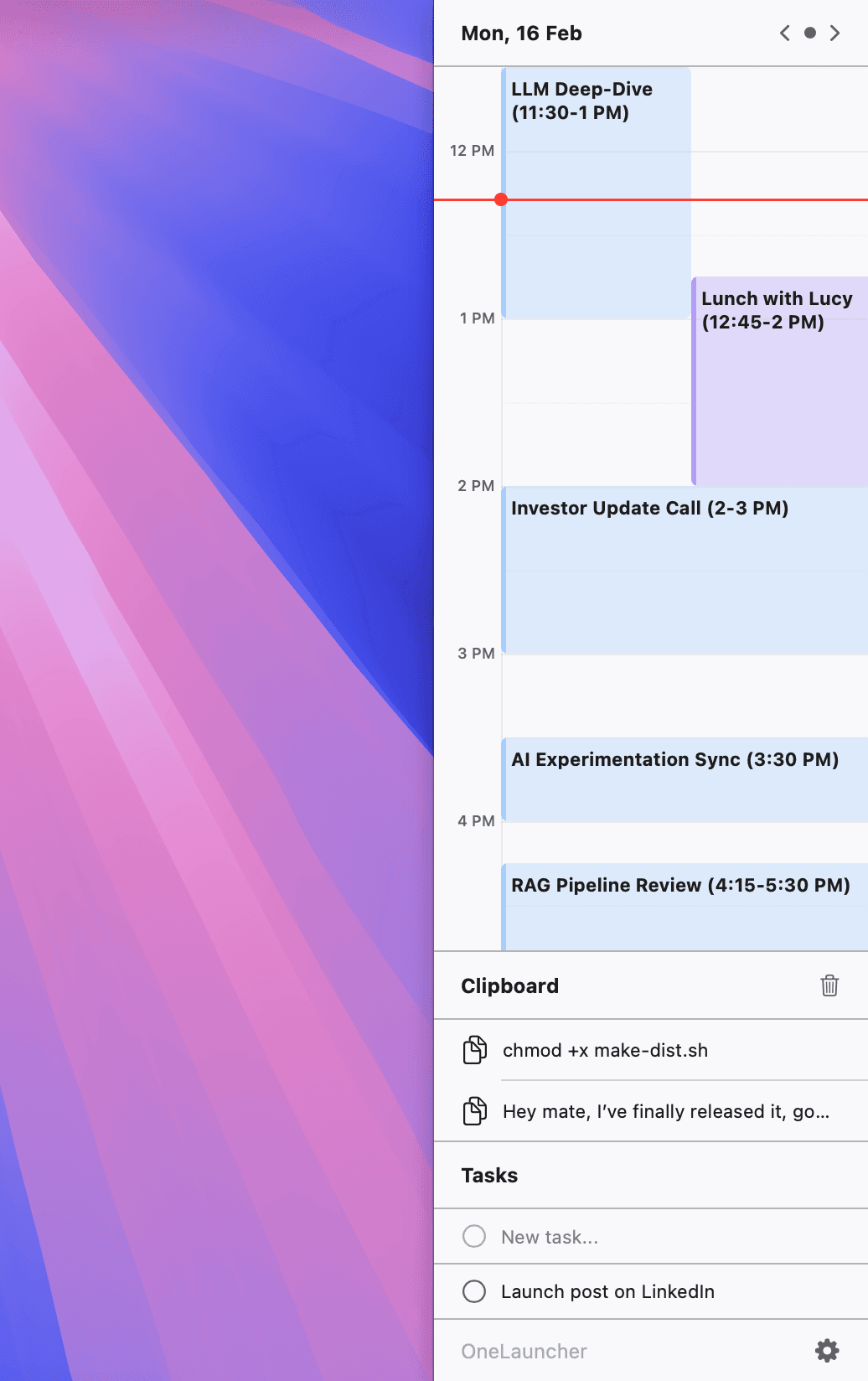
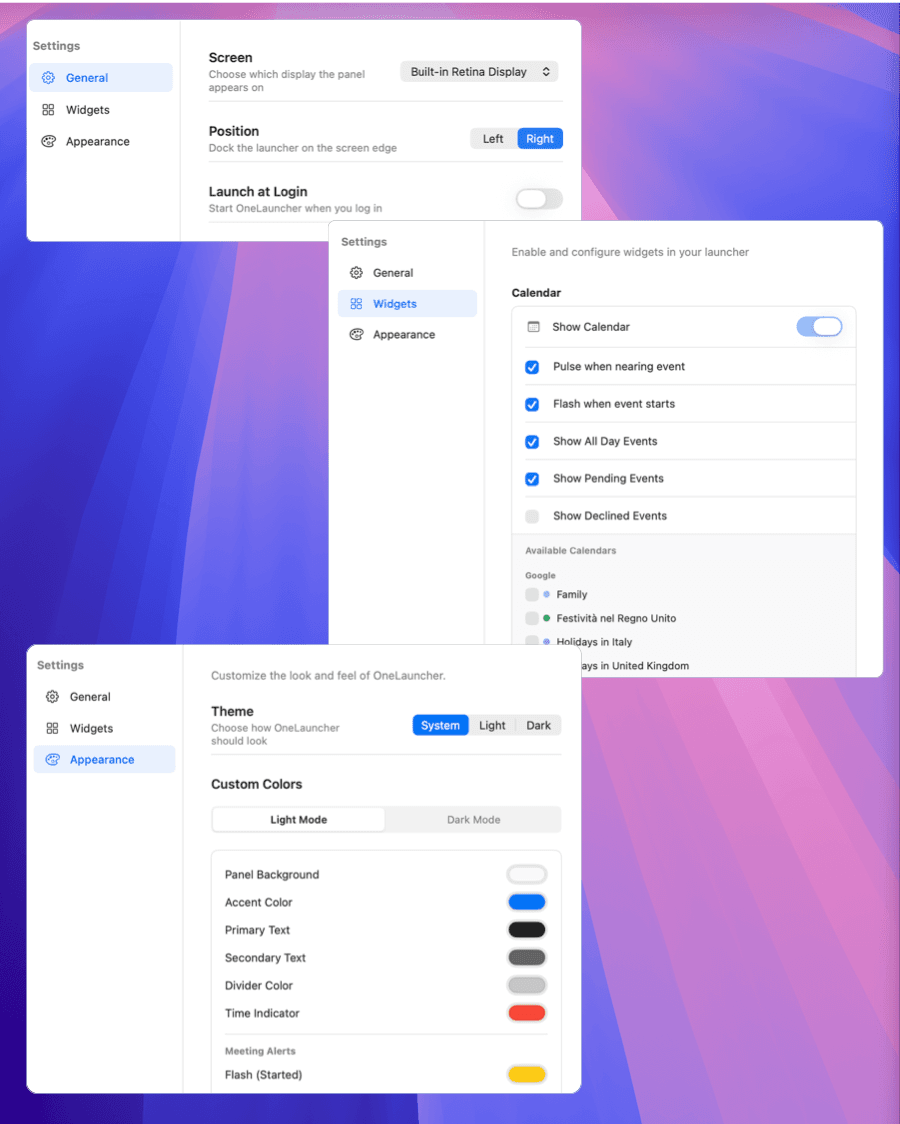
If I’m deep in code, there’s a solid chance I’ll lose track of time… and magically appear 5mins late to a meeting wondering “how is it already 11:00?” Calendar notifications weren’t cutting it and keeping the full calendar app open all day felt like wasting half my screen. So I built OneLauncher — a slim macOS side panel that docks to the right of your screen and keeps today’s schedule and tasks visible at all times. No switching apps. No giant windows. Just what you need, always there. FREE!see more
Founder
Screenshots
About
Have you ever found yourself completely absorbed in a task, perhaps deep in a complex coding session or writing a crucial document, only to look up and realize you are suddenly late for your next commitment? That frustrating feeling of losing track of time is something many of us experience, especially when juggling multiple priorities. Traditional calendar notifications can be easily missed, and keeping a full-sized calendar application open all day often feels like a massive waste of valuable screen real estate. That is precisely why OneLauncher was created: to solve the constant context switching that derails focus. Imagine having your entire day’s agenda, your to-do list, and even your recent clipboard history instantly accessible without ever leaving the application you are currently using. OneLauncher docks neatly as a slim, unobtrusive side panel right onto the edge of your macOS screen, ensuring that what matters most—your immediate schedule and active tasks—is always in your peripheral vision, ready when you need it, and invisible when you don't. It’s about maintaining momentum without sacrificing awareness.
This tool is designed for professionals who value flow state above all else. By consolidating essential productivity elements into one streamlined view, OneLauncher eliminates the disruptive habit of bouncing between your work environment and your scheduling application. You no longer need to interrupt your deep work to check what’s next or confirm a deadline. Everything is presented in a clean, easily digestible format that complements your workflow rather than dominating it. Whether you are managing complex projects, hopping between client calls, or simply trying to stay organized throughout a busy workday, having your tasks and meeting timeline persistently visible acts as a gentle, constant reminder, keeping you anchored to your goals without demanding your full attention away from the task at hand. It’s the ultimate companion for regaining control over your time management without the clutter.
What truly sets OneLauncher apart is its commitment to simplicity and utility. Built from the ground up to be lightweight and efficient, it integrates seamlessly into the macOS environment, offering immediate value right out of the box. Since it is offered completely free, there is zero barrier to entry for reclaiming your focus and improving your daily efficiency. Stop letting your schedule hide behind minimized windows or distracting pop-ups. Embrace a smarter way to stay on top of your meetings and tasks, ensuring you transition smoothly from one item to the next, all while keeping your main workspace clean and dedicated to creation. Make lost minutes a thing of the past and experience the calm efficiency of having your entire day literally at your fingertips.