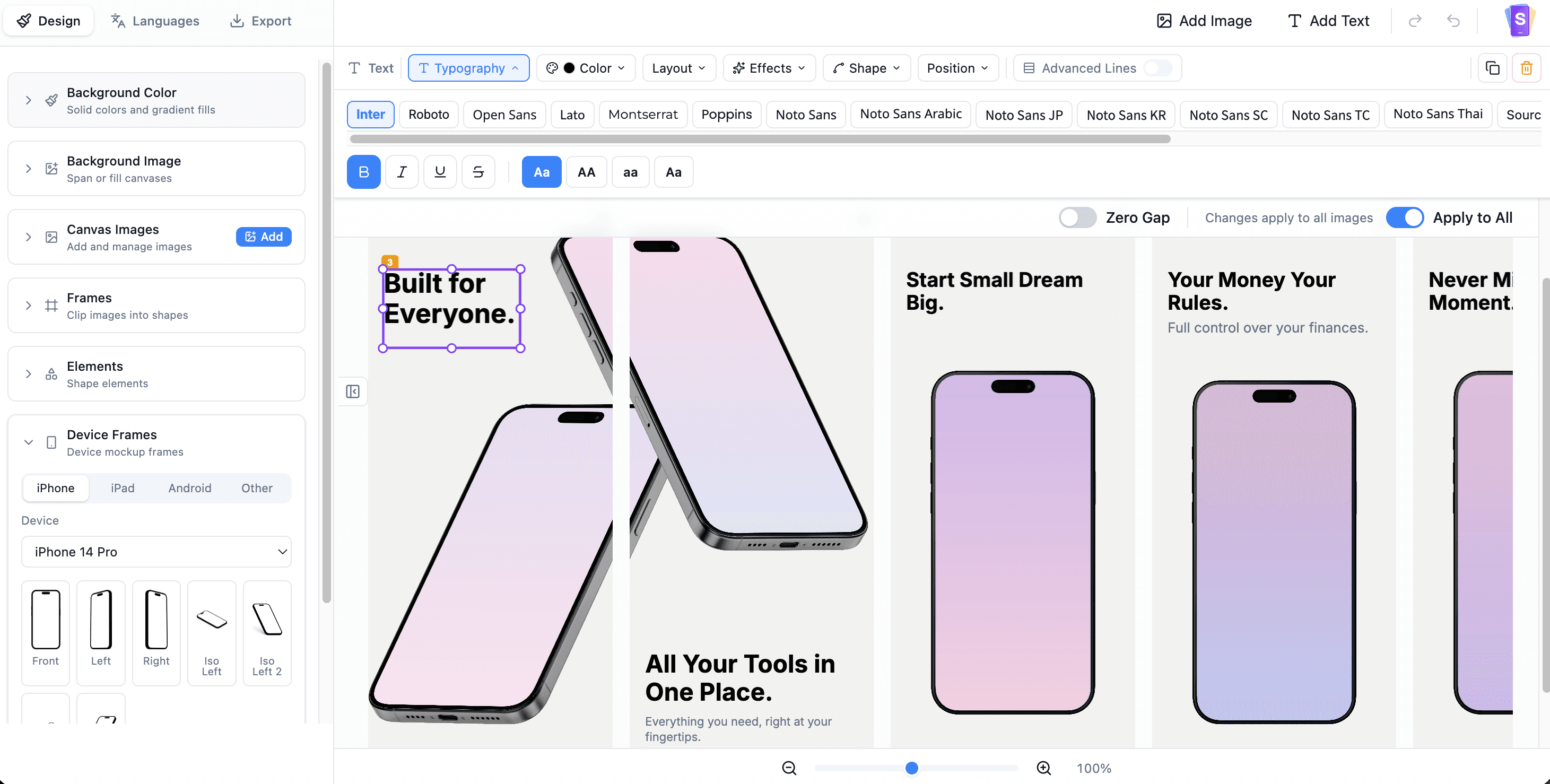
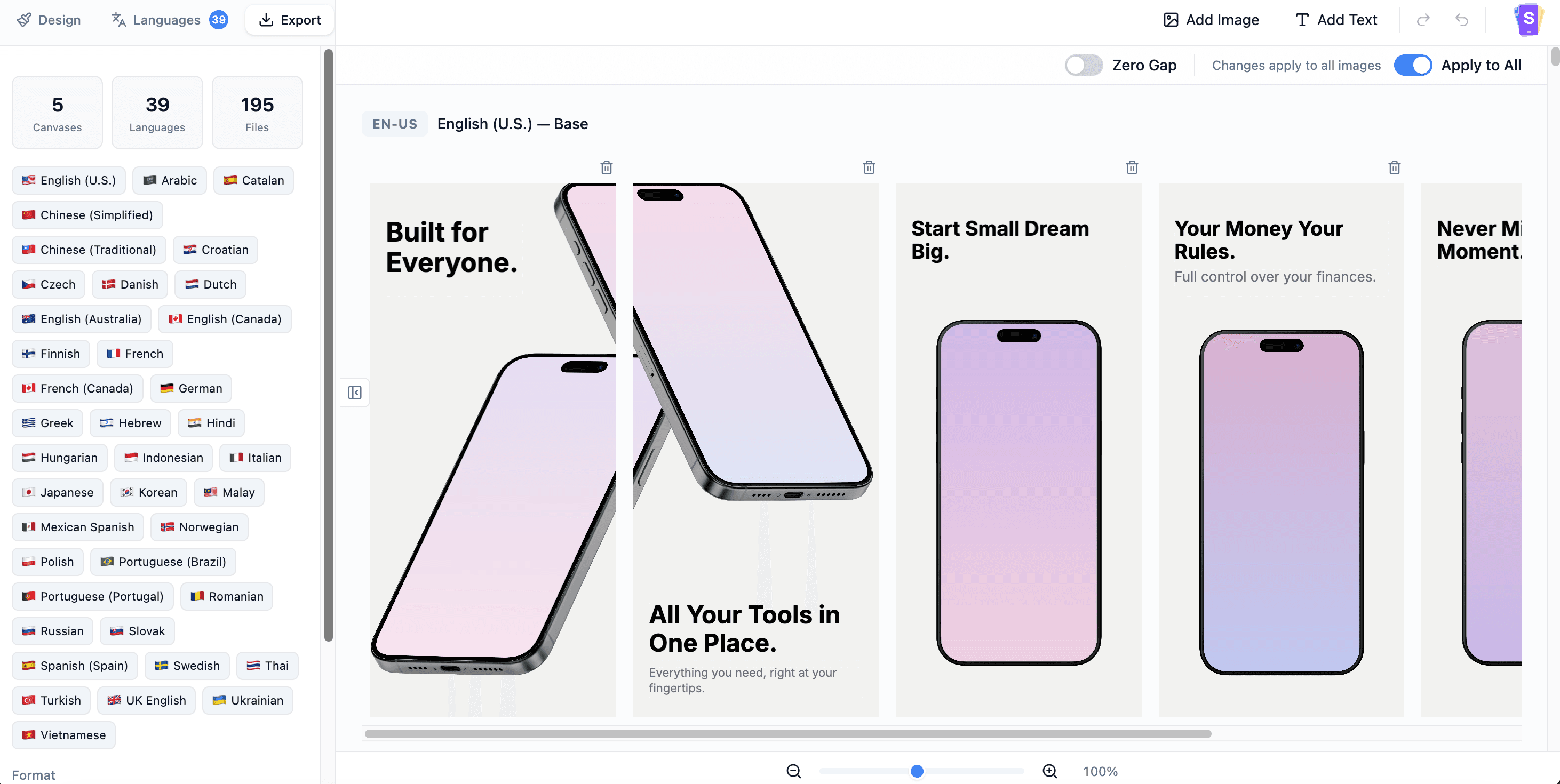
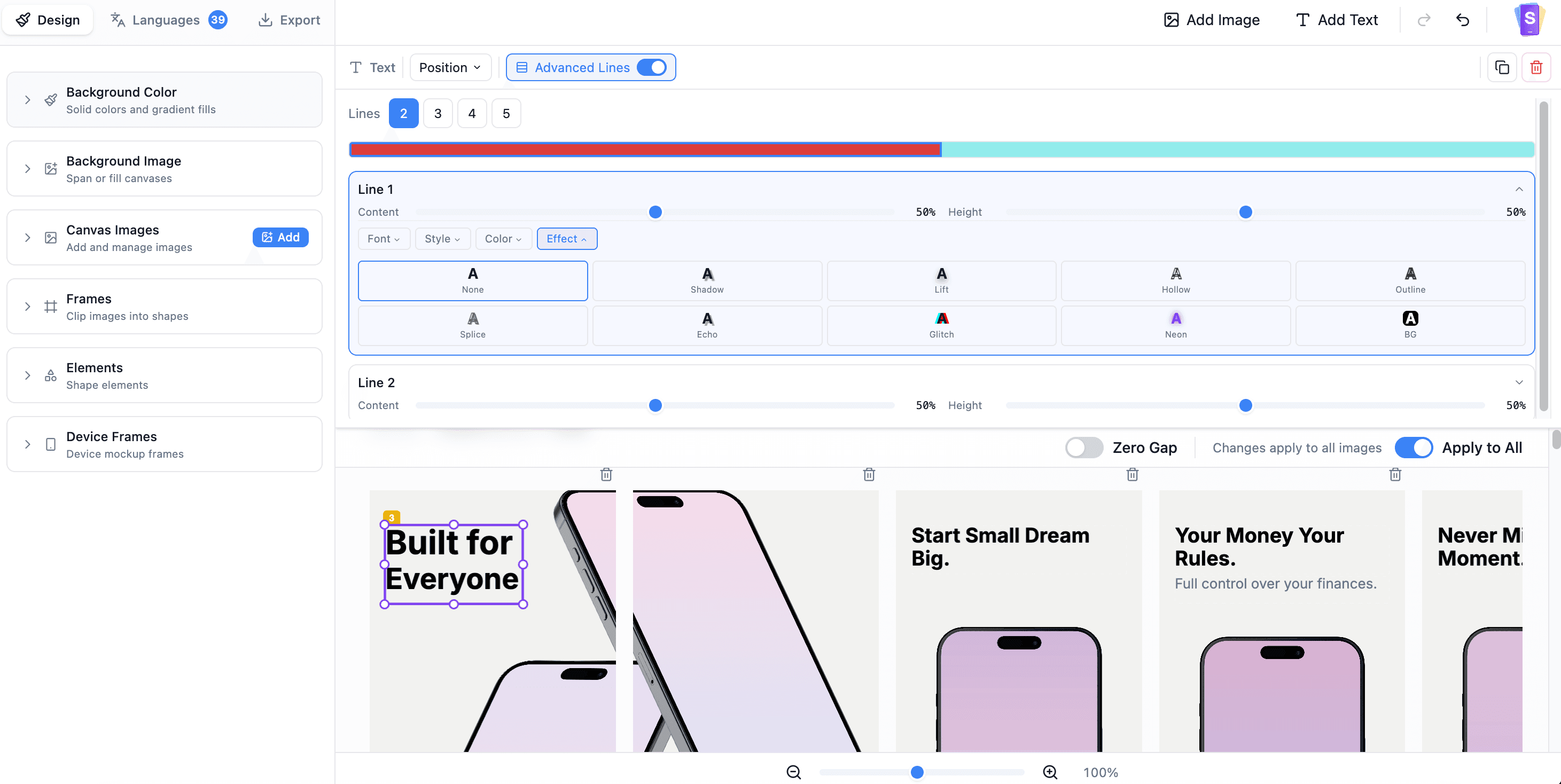
Screenshoots isn’t just “translate screenshots.” It’s built for the part that usually breaks: layout + typography across languages. Apply multiple styles in a single text box, auto-fit text per language to avoid overflow or awkward gaps (DE/JA/AR), handle RTL layouts, and add per-language overrides when you need different wording or sizing. Then export all locales as one ZIP. Design once, localize 38+ languages, keep visuals consistent—and cut hours of manual Canva nudging. Every time you ship.!see more
Founder
Screenshots
About
Are you tired of the endless, frustrating cycle of localizing your app store screenshots? We all know the drill: you spend hours perfecting that beautiful visual presentation for your primary language, only to watch it crumble when you try to adapt it for German, Japanese, or Arabic. That tedious, pixel-by-pixel nudging in design tools to make sure text doesn't overflow or look awkwardly cramped is a massive time sink that steals focus from actual development and marketing. Screenshoots.design was created specifically to eliminate this bottleneck. This isn't just a translation tool; it’s a dedicated visual localization platform engineered for the complexities of typography and layout across dozens of languages. Imagine designing your perfect screenshot once, and then letting the system intelligently handle the differences. Whether you need to manage right-to-left text flow for languages like Arabic or ensure that longer phrases in German fit neatly into your existing design boxes, Screenshoots does the heavy lifting automatically. You gain the power to apply multiple distinct styles within a single text element and set up per-language overrides, giving you total control without needing to start from scratch for every single locale.
This platform fundamentally changes how you approach global app launches. Instead of exporting, manually editing, re-importing, and praying that your layout holds up across 38 or more languages, Screenshoots streamlines the entire process into one cohesive workflow. It intelligently auto-fits text based on the linguistic requirements of each target language, preventing those embarrassing visual errors that make your app look unprofessional to international users. This means your branding, your messaging, and your visual appeal remain perfectly consistent everywhere your app is listed, building trust and driving higher conversion rates globally. It’s about achieving visual harmony across all your marketing assets without the hours of manual cleanup in traditional design software.
Ultimately, Screenshoots.design gives you back precious time and ensures quality control that was previously impossible to maintain manually. You design the core visual concept, input your localized text, and let the system manage the intricate layout adjustments required for perfect presentation in every market. When everything is finalized and looking sharp across every language variation, you export everything you need as a single, organized ZIP file, ready for immediate submission. Stop sacrificing hours to repetitive design tweaks and start focusing on what matters most: shipping great software. Screenshoots ensures that your first impression in every single country is as polished and professional as your original vision.