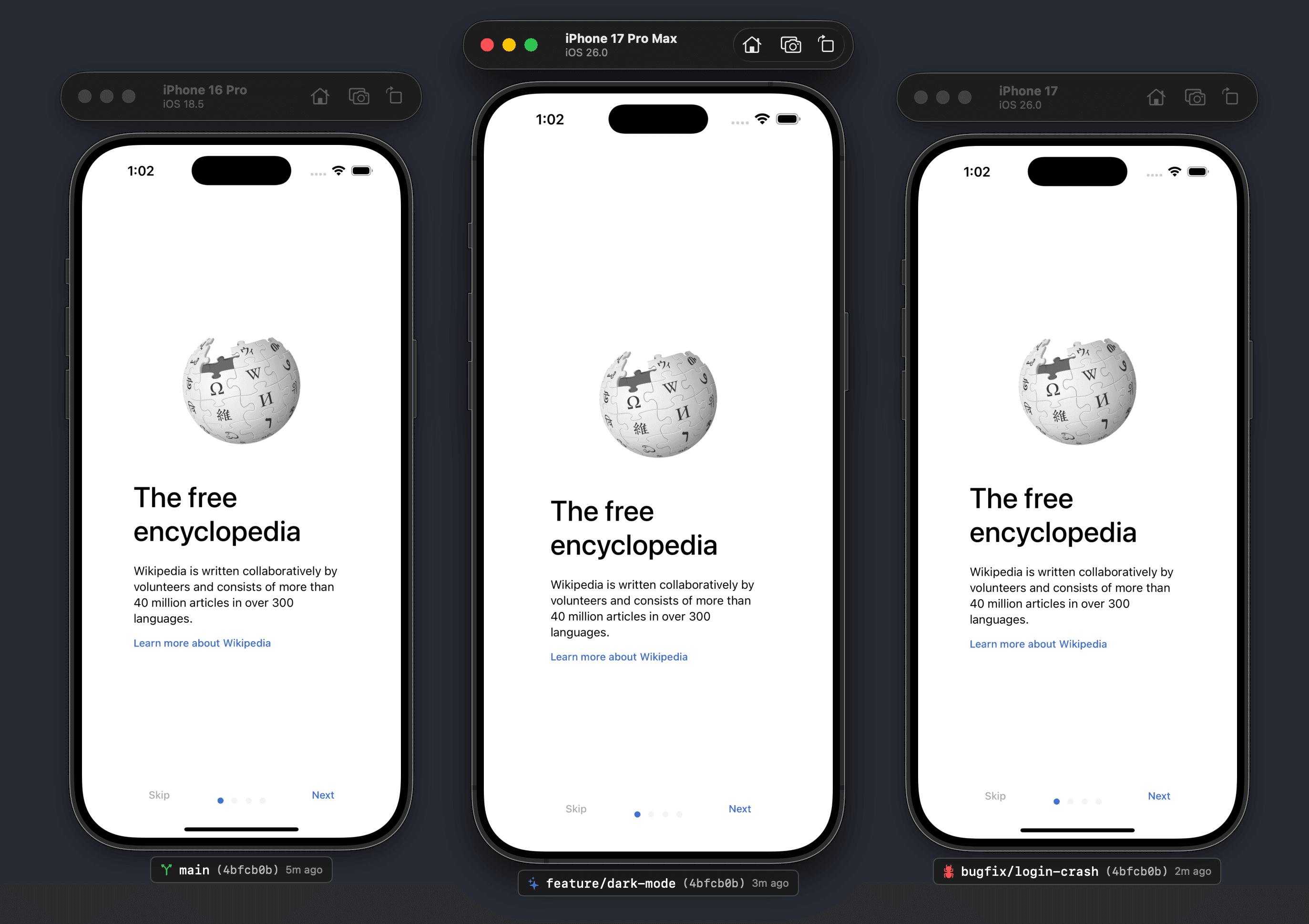
Running multiple Claude sessions or git worktrees? All iOS Simulators look identical — until you test the wrong branch. SimTag overlays the current git branch directly on each Simulator window so you instantly know what you’re running. Works with parallel builds, worktrees, and multi-branch setups. Runs locally as a lightweight macOS utility. No Xcode plugins. No workflow changes. Just clear context for modern, AI-powered iOS development.see more
Founder
Screenshots

About
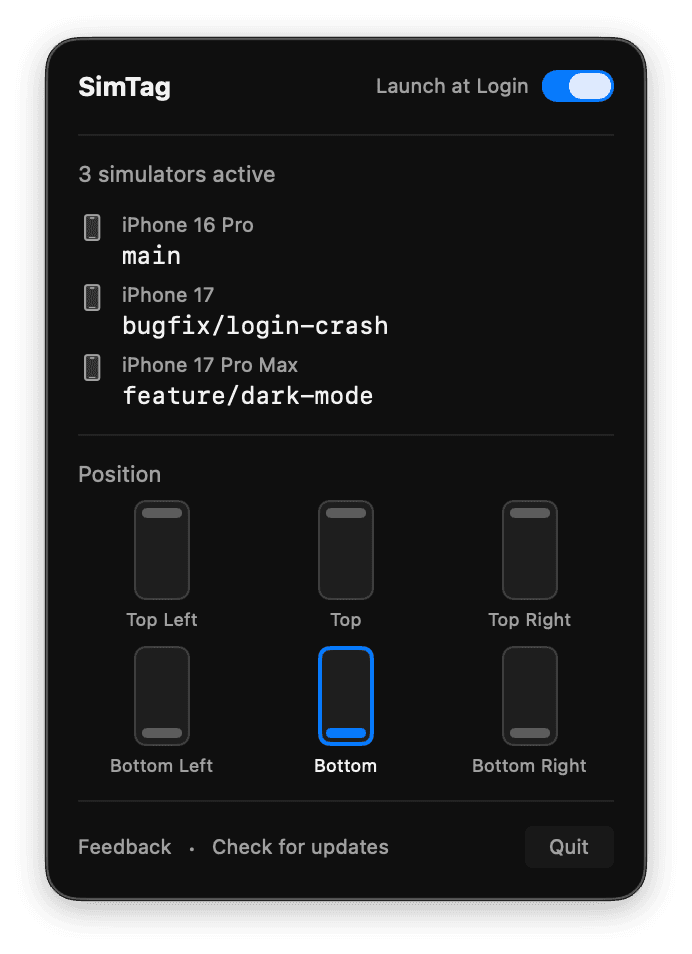
If you are an iOS developer today, you are likely juggling more than just one version of your application at a time. Modern development often means working across multiple feature branches, testing hotfixes, or perhaps even running parallel sessions with AI coding assistants like Claude to explore different architectural paths. The problem is that when you have several iOS Simulators open side by side, they all look exactly the same. It is incredibly easy to lose track, leading to frustrating moments where you deploy a test build only to realize you were working on the wrong git branch entirely. SimTag solves this subtle but significant source of developer friction by providing immediate, visual context right where you need it. This lightweight macOS utility acts as an essential overlay, dynamically displaying the active git branch name directly onto the title bar or window frame of every running iOS Simulator instance. Imagine the peace of mind knowing instantly, without clicking between windows or checking your terminal, exactly which environment you are interacting with. This isn't just a convenience; it’s a crucial safeguard against costly context-switching errors, especially when managing complex, multi-branch workflows or collaborating across teams where version control is paramount.
What makes SimTag so effective is how seamlessly it integrates into your existing, high-speed workflow. We know developers hate tools that require complex setup, lengthy configuration, or invasive plugins that slow down Xcode. SimTag requires none of that. It runs locally as a simple, unobtrusive utility, meaning there are no Xcode plugins to manage, no dependencies to install within your project, and absolutely no changes required to your established build or testing procedures. Whether you are deep into a Vibe coding session, utilizing parallel builds for performance testing, or managing several distinct worktrees simultaneously, SimTag provides that constant, reliable visual anchor. It is designed for the modern developer who leverages the speed of AI coding tools but still needs the grounded reality check that only direct visual feedback can provide. It transforms those identical simulator windows into distinct, labeled testing environments, ensuring your focus stays sharp and your deployments hit the right target every single time.
Ultimately, SimTag is about reclaiming lost mental energy. Every second spent double-checking which simulator corresponds to which branch is a second taken away from writing clean code or solving complex logic problems. By providing this crystal clear context overlay, SimTag frees up your cognitive load, allowing you to move faster and with greater confidence through parallel development streams. It’s the simple, elegant solution that makes those complex, multi-branch, AI-assisted coding sessions feel organized and controlled. Stop guessing which simulator is which, and start developing with absolute certainty.