
Sparrow is a macOS terminal designed for AI agents. MCP server for Claude Code and Gemini CLI, built-in git with staging and shelving, file explorer with inline diffs, clipboard history, tab groups, and more.
Founder
Screenshots
About
Imagine having a command center built from the ground up not just for developers, but specifically tailored for the future of development: AI agents. That's exactly what Sparrow brings to your macOS workflow. This isn't just another terminal window; it's a sophisticated environment engineered to maximize the efficiency and capability of your code-generating and task-automating assistants. Sparrow seamlessly integrates the power of leading models like Claude Code and Gemini CLI through its built-in MCP server, turning complex interactions into fluid, natural commands. You can finally stop juggling multiple windows and context switches. Instead, you get a unified space where your AI tools feel like native extensions of your operating system, ready to tackle everything from boilerplate generation to complex debugging routines with unprecedented speed and accuracy. It’s about making the collaboration between you and your AI partner feel intuitive, fast, and incredibly powerful, letting you focus purely on the high-level architecture of your projects rather than the minutiae of command execution.
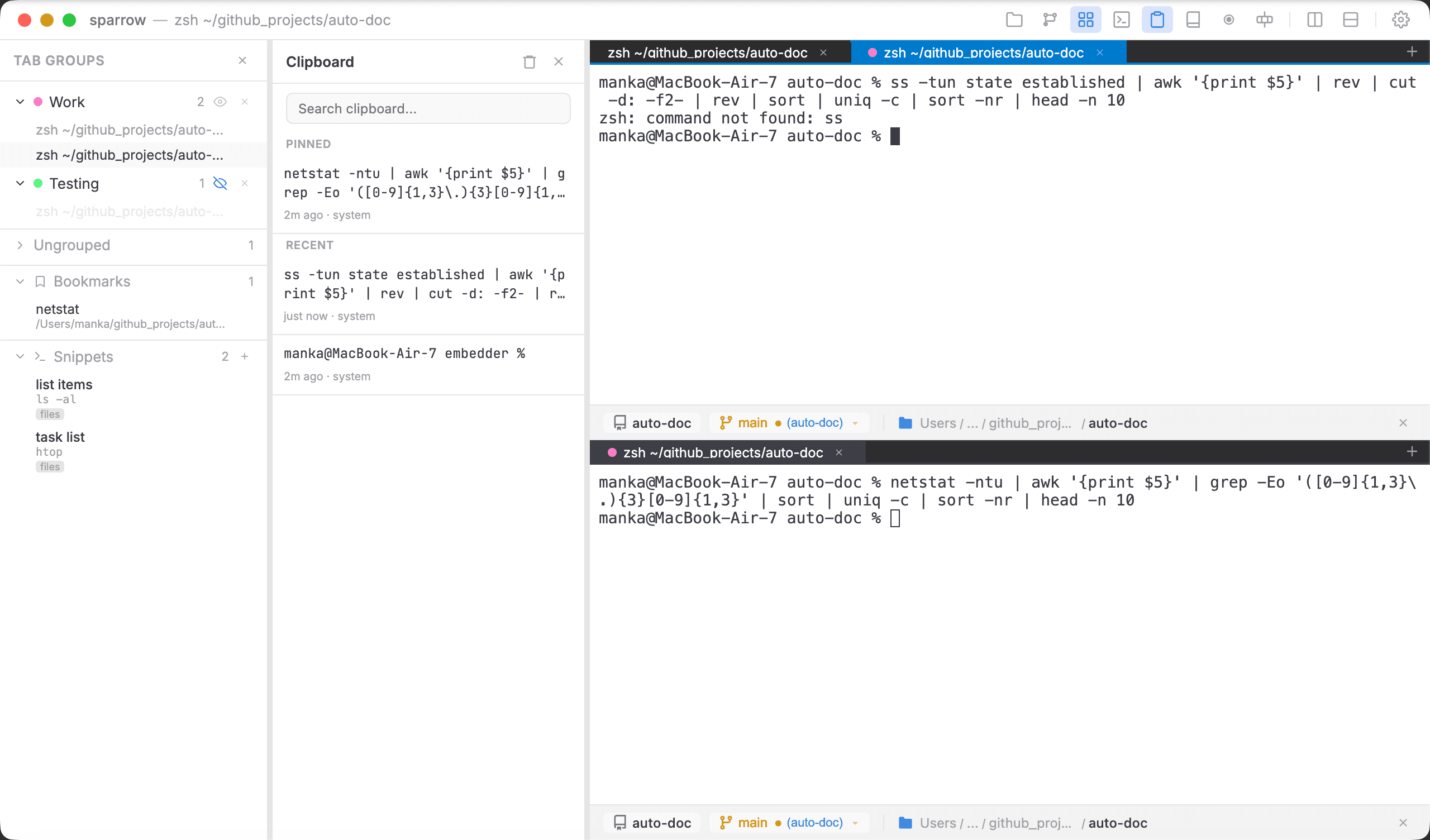
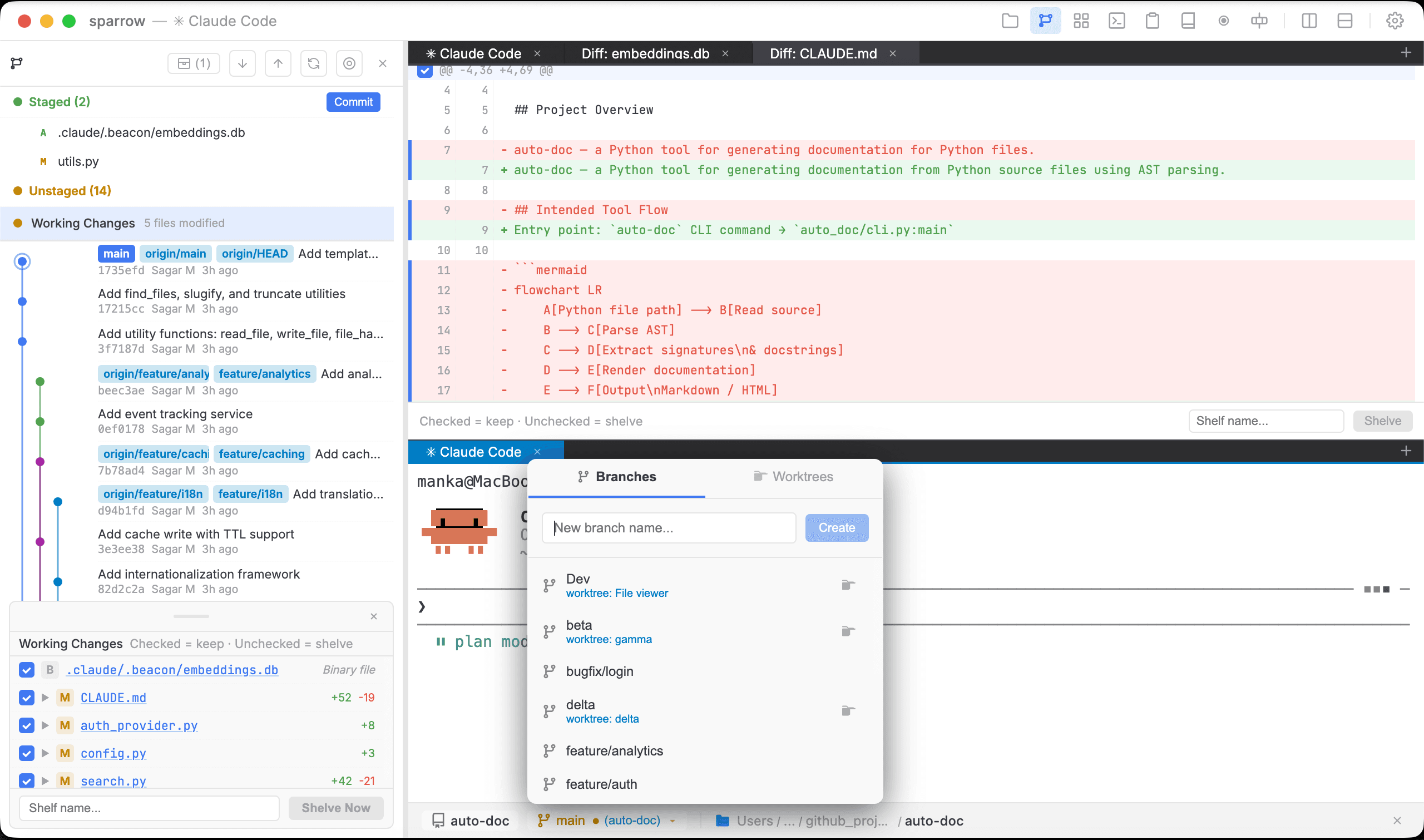
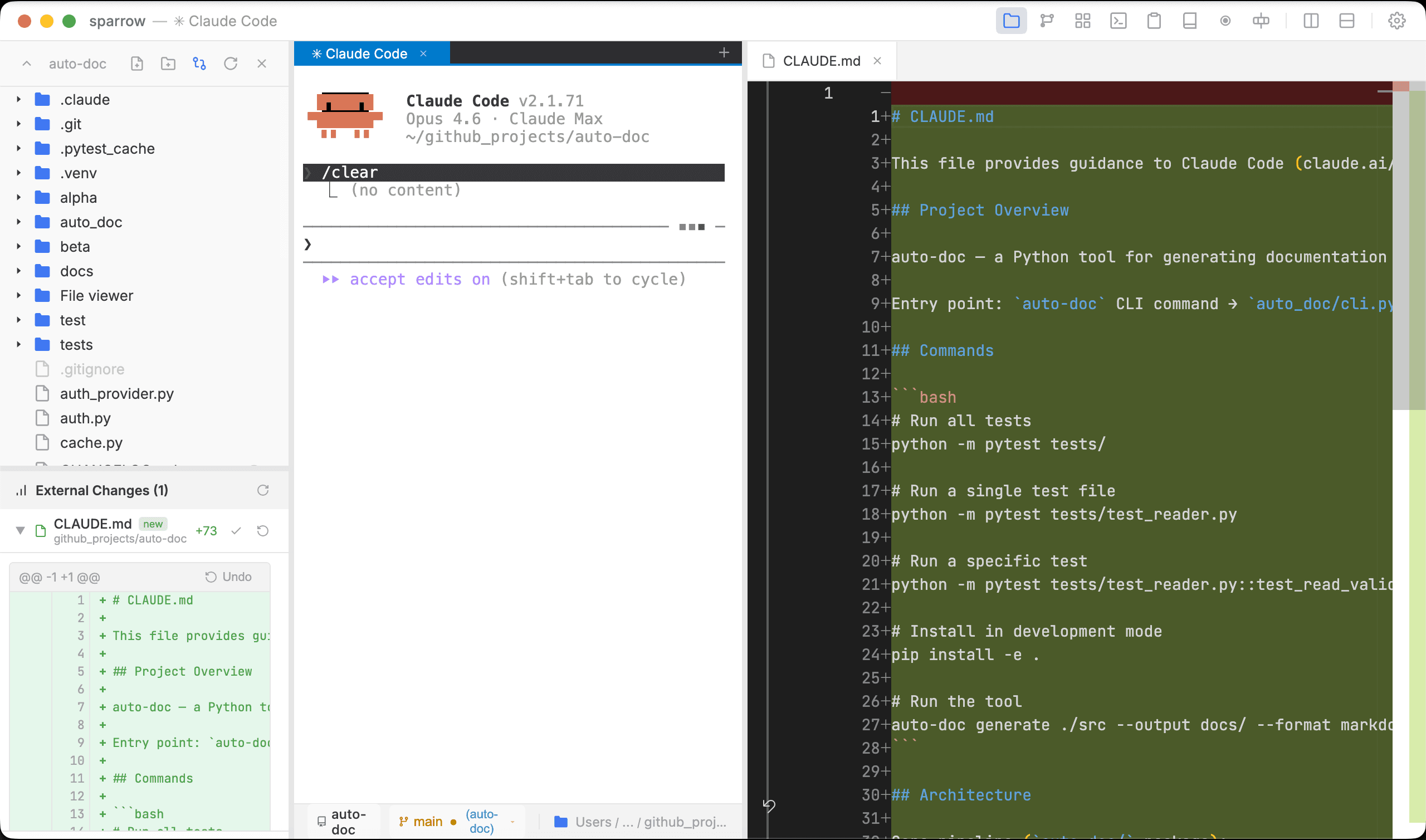
What truly sets Sparrow apart is the suite of professional tools baked directly into the terminal experience, all designed to keep you in the flow state. Forget switching to a separate file manager or a different Git client when you need to review changes. Sparrow features a robust, built-in Git interface that supports both standard staging and advanced shelving, allowing you to temporarily set aside work in progress without committing messy changes. Furthermore, the integrated file explorer is a game-changer, offering inline diff visualizations right where you need them, making code review and comparison instantaneous. Managing large projects with many moving parts becomes dramatically simpler with intelligent tab grouping, ensuring that related tasks, environments, or agent sessions are always neatly organized and accessible with a single click. Sparrow transforms the terminal from a basic input/output box into a dynamic, intelligent workspace that understands the demands of modern, AI-assisted software creation.
This terminal is your dedicated platform for next-generation coding. By providing a stable, high-performance foundation optimized for AI interaction, Sparrow drastically reduces friction in your daily tasks. Whether you are prompting an agent to refactor a large section of legacy code, managing version control across multiple feature branches, or simply navigating your project structure, every action is faster and more context-aware. It’s built for the developer who recognizes that AI is the co-pilot, and this terminal is the cockpit designed specifically to harness that power effectively. Embrace a development environment where the tools adapt to your intelligence, not the other way around, and watch your productivity soar to new heights.