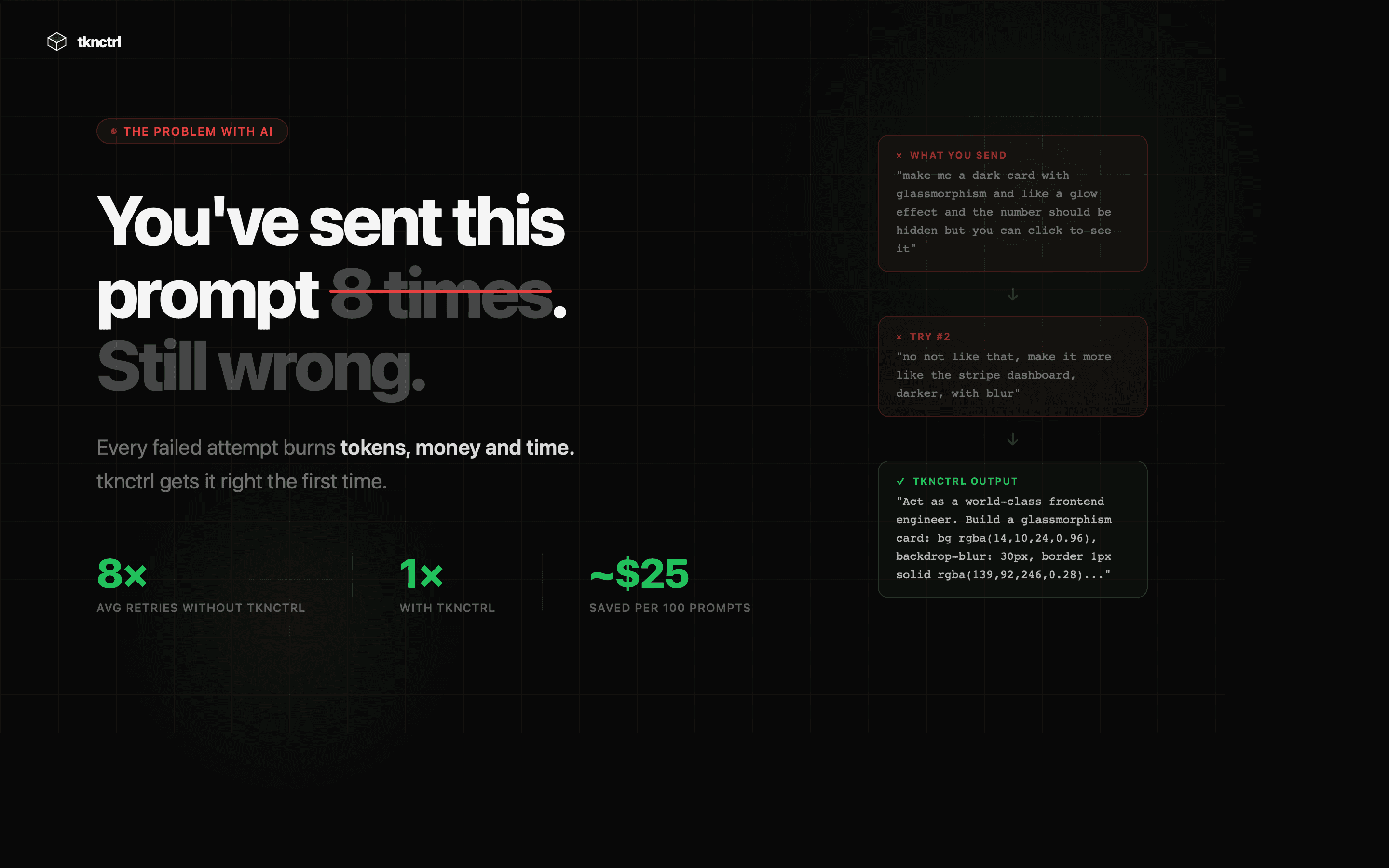
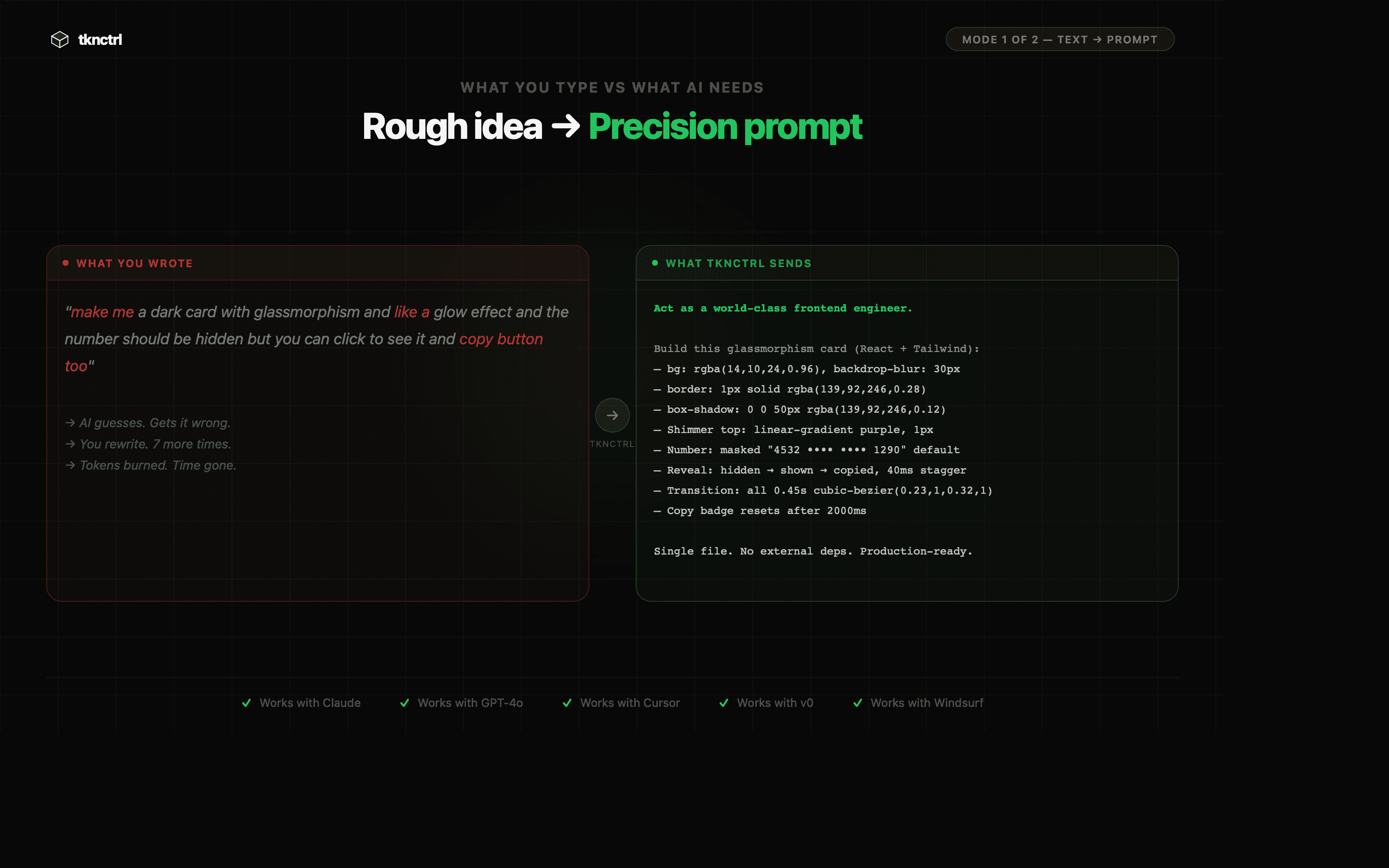
tknctrl fixes the most expensive AI mistake - bad prompts. Most people send 7-10 broken attempts before getting what they want. Every retry burns tokens and time. Two modes: → Describe your idea → get a precision prompt instantly → Drop a screenshot → get every spec decoded automatically Works with Claude, GPT, Cursor, v0, Windsurf. First try. Every time.see more
Founder
Screenshots
About
Have you ever felt that frustrating disconnect between the brilliant idea sparking in your mind and the actual output you get from your favorite generative AI? That gap is often where time, budget, and creativity go to die. We’ve all been there: staring at a screen, sending prompt after prompt, burning through valuable tokens and precious minutes just trying to coax the AI into understanding a simple concept. That cycle of trial and error is perhaps the most expensive mistake people make when working with large language models and image generators. Introducing tknctrl, the essential tool designed to eliminate that friction entirely. Think of tknctrl as your personal prompt engineer, sitting right beside you, ensuring that the very first attempt you make is the one that lands perfectly. It transforms those vague notions or complex visual references into crystal clear, precision engineered instructions that the AI can execute flawlessly right out of the gate. This isn't just about saving a few seconds; it’s about reclaiming hours of productive time and ensuring every interaction with your AI tools yields exactly what you envisioned, immediately.
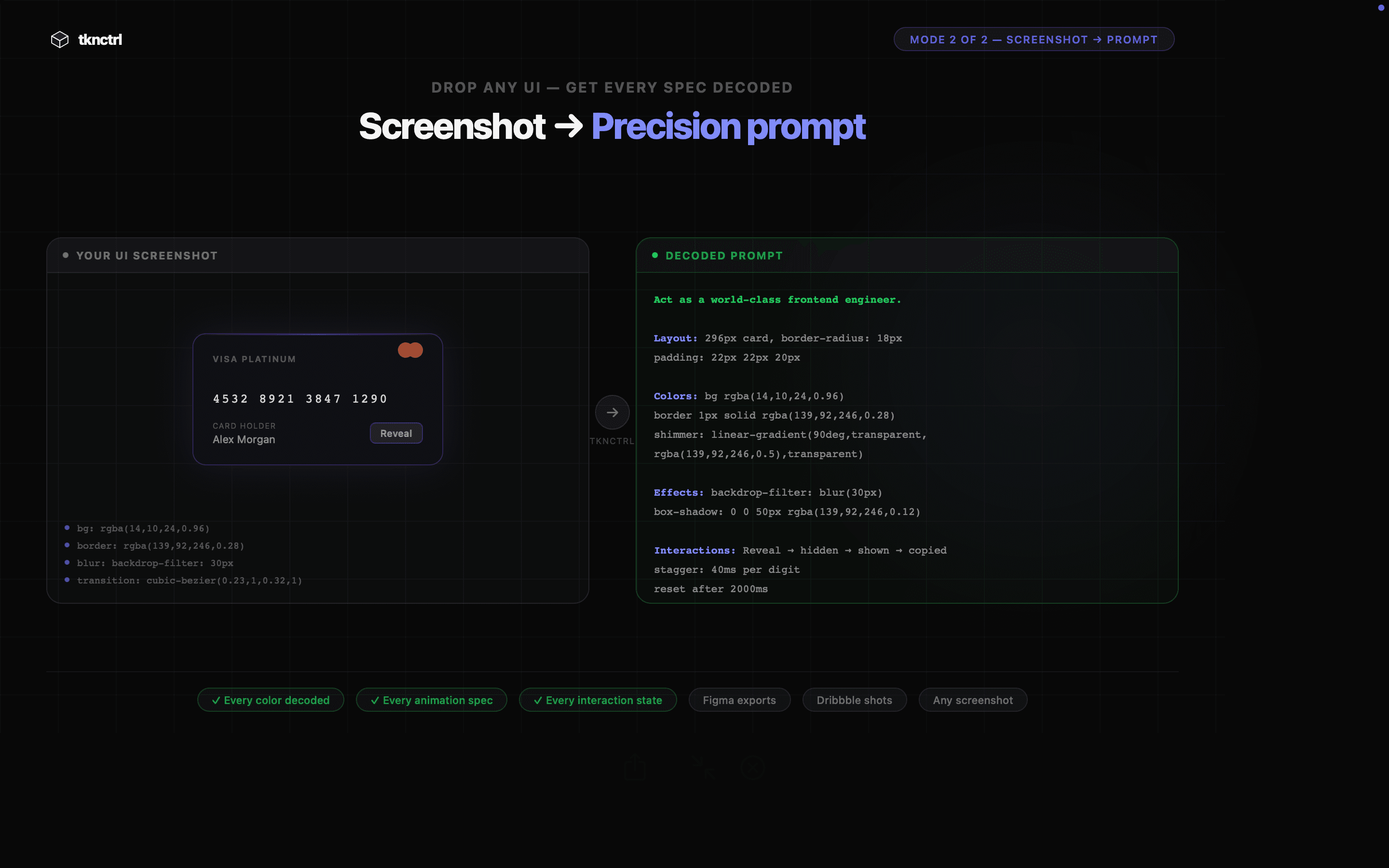
tknctrl offers two incredibly powerful ways to achieve prompt perfection. If you have a concept brewing but are struggling to articulate the technical nuances, simply use the descriptive mode. You tell tknctrl your goal in plain language—the more conversational, the better—and it instantly translates that into a high-precision prompt ready for deployment. But where tknctrl truly shines is in its visual decoding capability. Have you ever seen a design, a layout, or a complex interface in a screenshot and wished you could instantly get the underlying code or specification for it? Just drop that image into tknctrl. Our system analyzes every pixel, every component, and every subtle detail, automatically generating the comprehensive specifications or the perfect prompt needed to recreate that visual element using tools like v0 or other visual AI platforms. It decodes the unseen structure, saving you the painstaking manual effort of reverse engineering.
Compatibility and reliability are at the core of tknctrl’s design. Whether you are primarily working within the Claude ecosystem, leveraging the power of GPT models, using specialized developer environments like Cursor, or experimenting with cutting edge visual tools like Windsurf, tknctrl integrates seamlessly into your existing workflow. The benefit is profound: consistency. You stop gambling with your inputs and start achieving guaranteed results on the first try, every time. This reliability drastically lowers operational costs associated with token usage and significantly boosts your development speed, allowing you to move from concept to execution faster than ever before. Stop debugging your language and start building with confidence using tknctrl.