
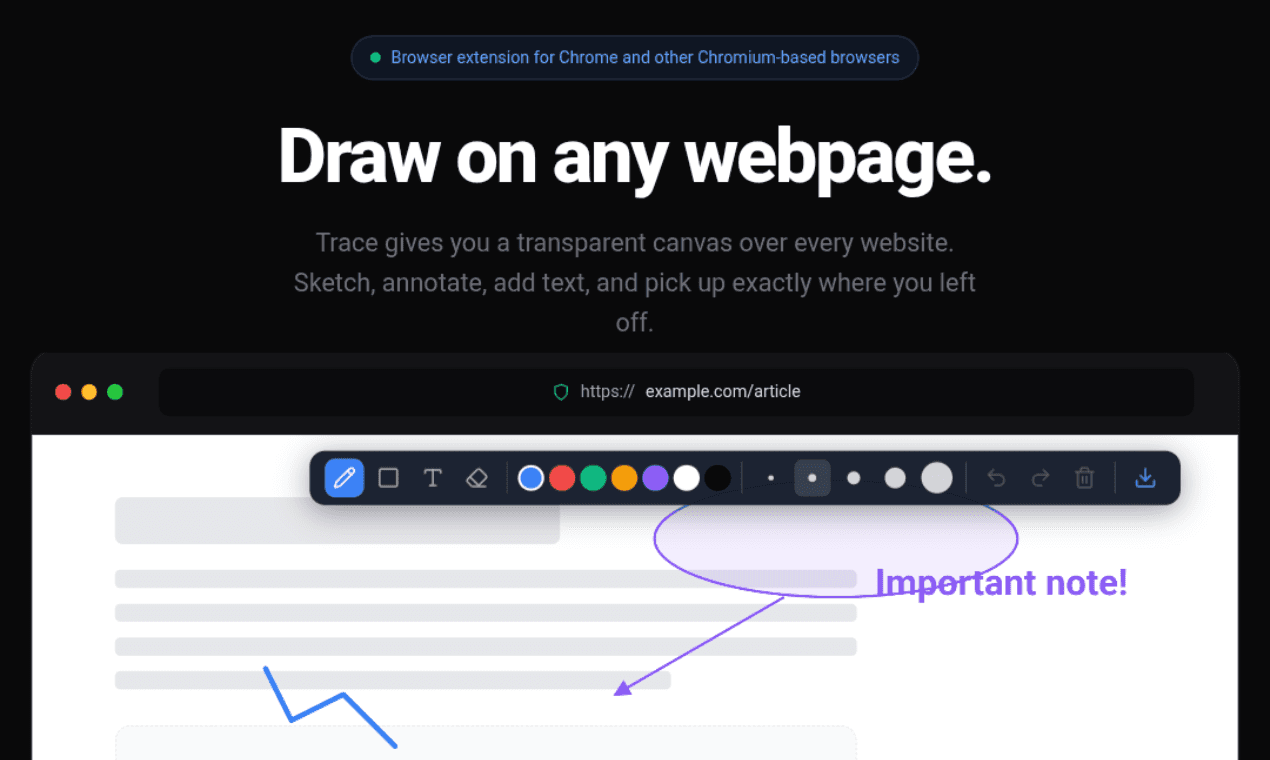
Trace gives you a transparent canvas over every website. Sketch, annotate, drop text, and pick up exactly where you left off.
Founder
Screenshots
About
Imagine having the power to directly interact with the web, not just by clicking links, but by truly leaving your mark. That is the simple yet profound magic behind 194. trace. This innovative tool transforms any website you visit into your personal, interactive canvas. Forget the old way of constantly switching between your browser and a separate note taking app just to jot down a quick thought or sketch out an idea related to what you are seeing. With trace, you get a perfectly transparent overlay, a digital sheet of tracing paper, placed right on top of the live webpage. Whether you are a designer needing to visualize layout changes, a student trying to highlight complex diagrams in an online textbook, or a professional annotating a client's website mock-up, trace lets you sketch, draw arrows, circle crucial elements, or even drop in precise text notes exactly where they need to be. It feels intuitive, like using a marker on a printout, but with the limitless flexibility of digital tools.
What truly sets trace apart is its commitment to continuity and workflow. This isn't just a temporary drawing tool; it remembers your work. You can meticulously annotate a complex dashboard one afternoon, close your browser, and return the next day knowing that every single line, every piece of text, and every highlight you made will be exactly where you left it, perfectly aligned with the underlying webpage content. This persistence means you can build up complex layers of feedback or ideas over time without losing context. It seamlessly integrates into your existing browsing habits, becoming an invisible assistant that enhances comprehension and collaboration. Think about the time saved when you no longer have to describe where on a busy page you made a suggestion; you just show them the traced layer. It’s about making the internet a more tangible, actionable space tailored precisely to your immediate needs, boosting your efficiency whether you are deep in research or just brainstorming your next big project.