
WSLUI is a free GUI for managing WSL distributions. Desktop dashboard with themes, Docker integration, and custom actions for Windows 10/11.
Founder
Screenshots

About
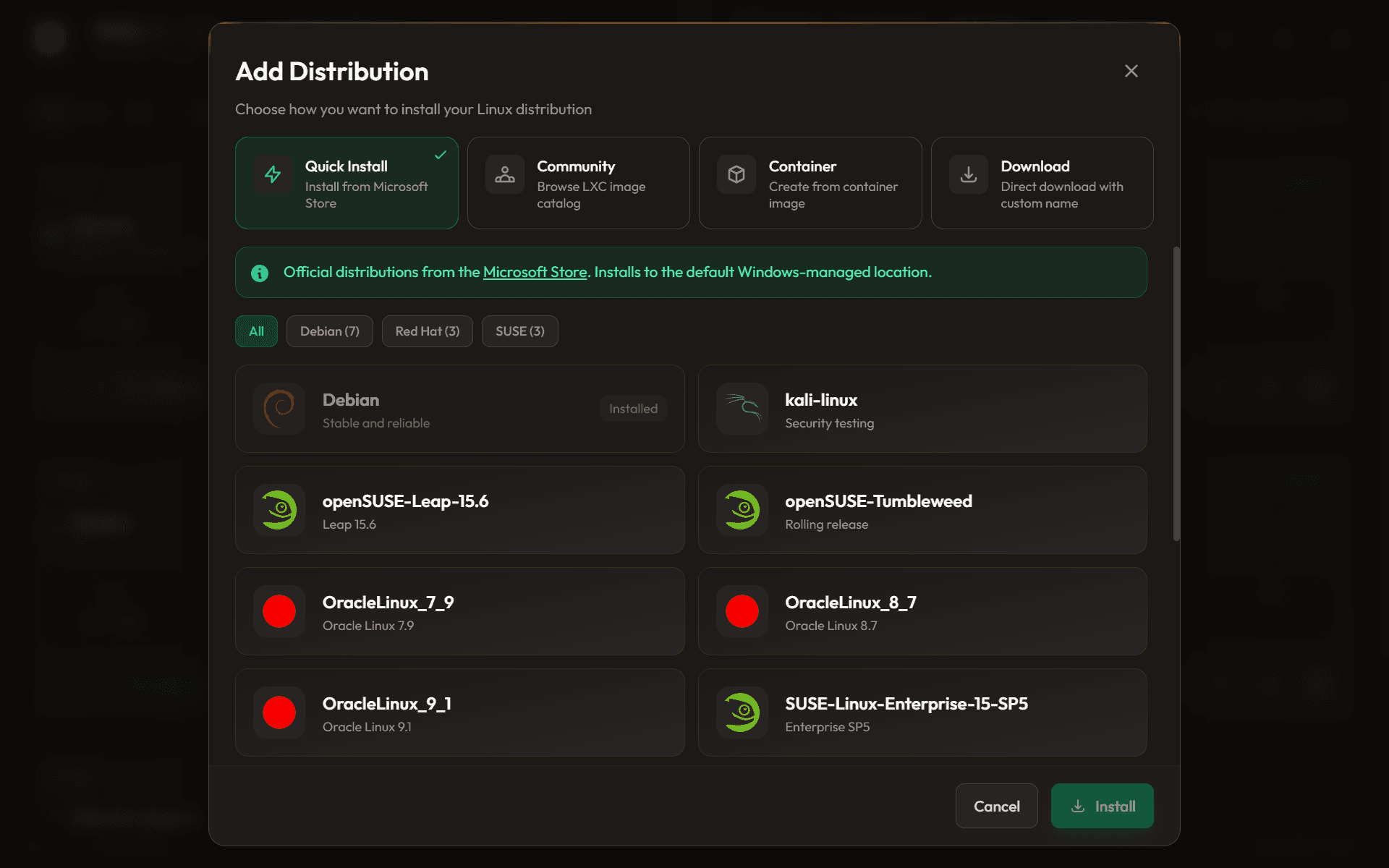
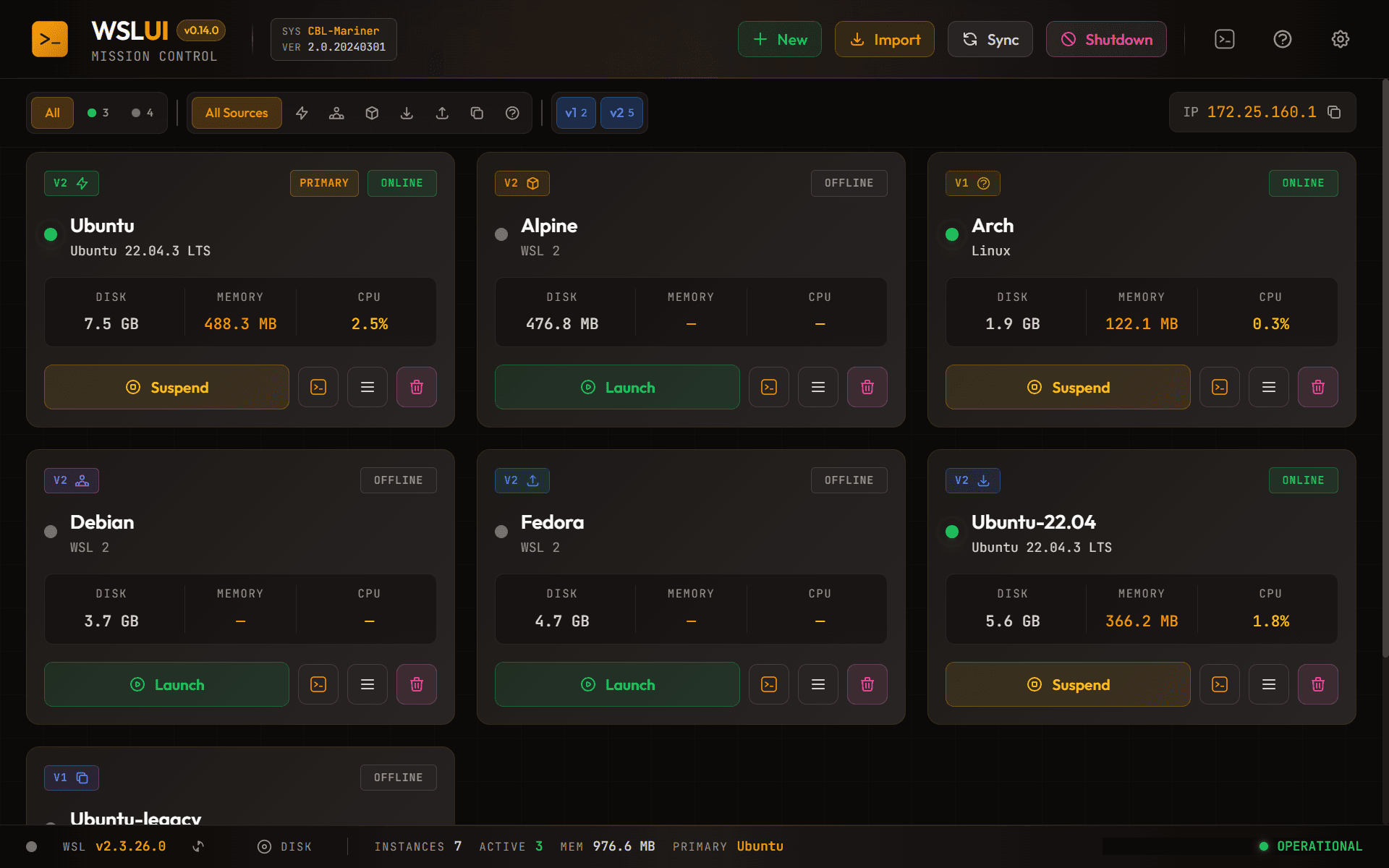
Are you tired of constantly diving into the command line just to handle basic administrative tasks for your Windows Subsystem for Linux (WSL) distributions? Managing multiple Linux environments on your Windows machine should be intuitive, not a constant battle with terminal commands. That's exactly why we created WSLUI. This is your essential, completely free Graphical User Interface designed from the ground up to bring simplicity and elegance to your WSL workflow. Imagine having a centralized, beautiful dashboard where you can see the status of all your installed Linux distributions at a glance. No more guessing which version is running or manually executing start and stop commands. WSLUI puts the power of management right at your fingertips, transforming a traditionally command-heavy process into a smooth, visual experience that respects your time and focus. It’s about making your dual-OS setup feel truly integrated and effortless, letting you concentrate on coding, testing, or whatever development task you have at hand, rather than system maintenance.
What truly sets WSLUI apart is the level of polish and functionality packed into this free tool. We know that developers appreciate customization, which is why we’ve included support for beautiful desktop themes, allowing you to tailor the look and feel of your management hub to match your personal aesthetic. But it goes beyond just looking good; it’s about deep integration. For those of you leveraging containers, WSLUI offers seamless Docker integration right within the dashboard, streamlining your development pipeline significantly. Furthermore, we understand that every workflow is unique, so we’ve built in the capability for custom actions. This means you can script and launch your most frequent, complex commands directly from the GUI with a single click, saving countless keystrokes every single day. Whether you are on Windows 10 or the latest Windows 11, WSLUI acts as the perfect bridge, providing the robust control you need over your Linux environments without ever leaving the familiar Windows desktop environment.
Ultimately, WSLUI is built for efficiency and accessibility. It removes the friction associated with managing Linux on Windows, making powerful tools accessible to everyone, regardless of their comfort level with the command line. Think of it as the control panel your WSL setup has always deserved—powerful, visually appealing, and completely free. Stop wrestling with configurations and start focusing on building great things. WSLUI gives you back control, clarity, and a much cleaner desktop experience, making your development setup smarter, faster, and significantly more enjoyable.